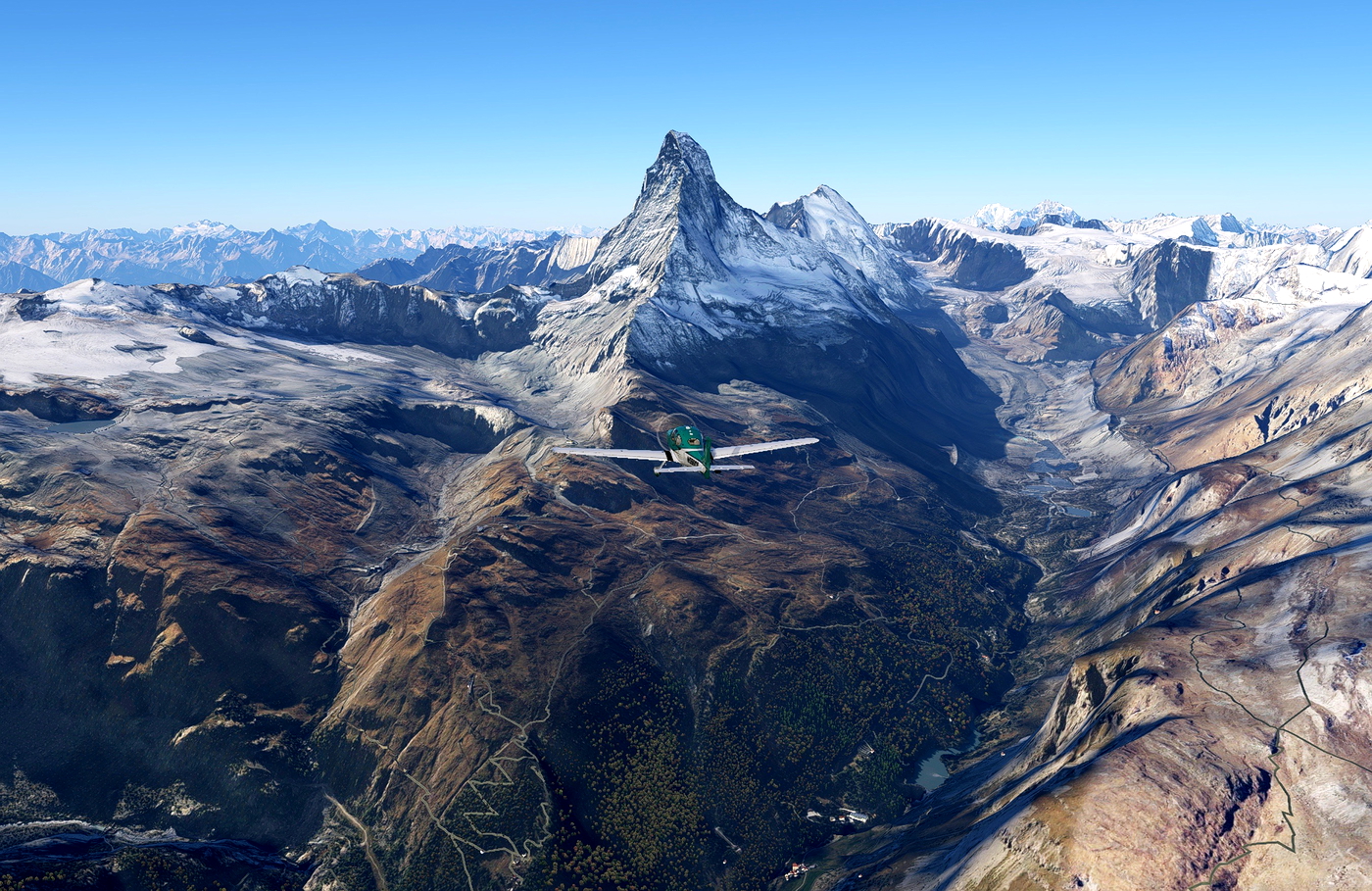
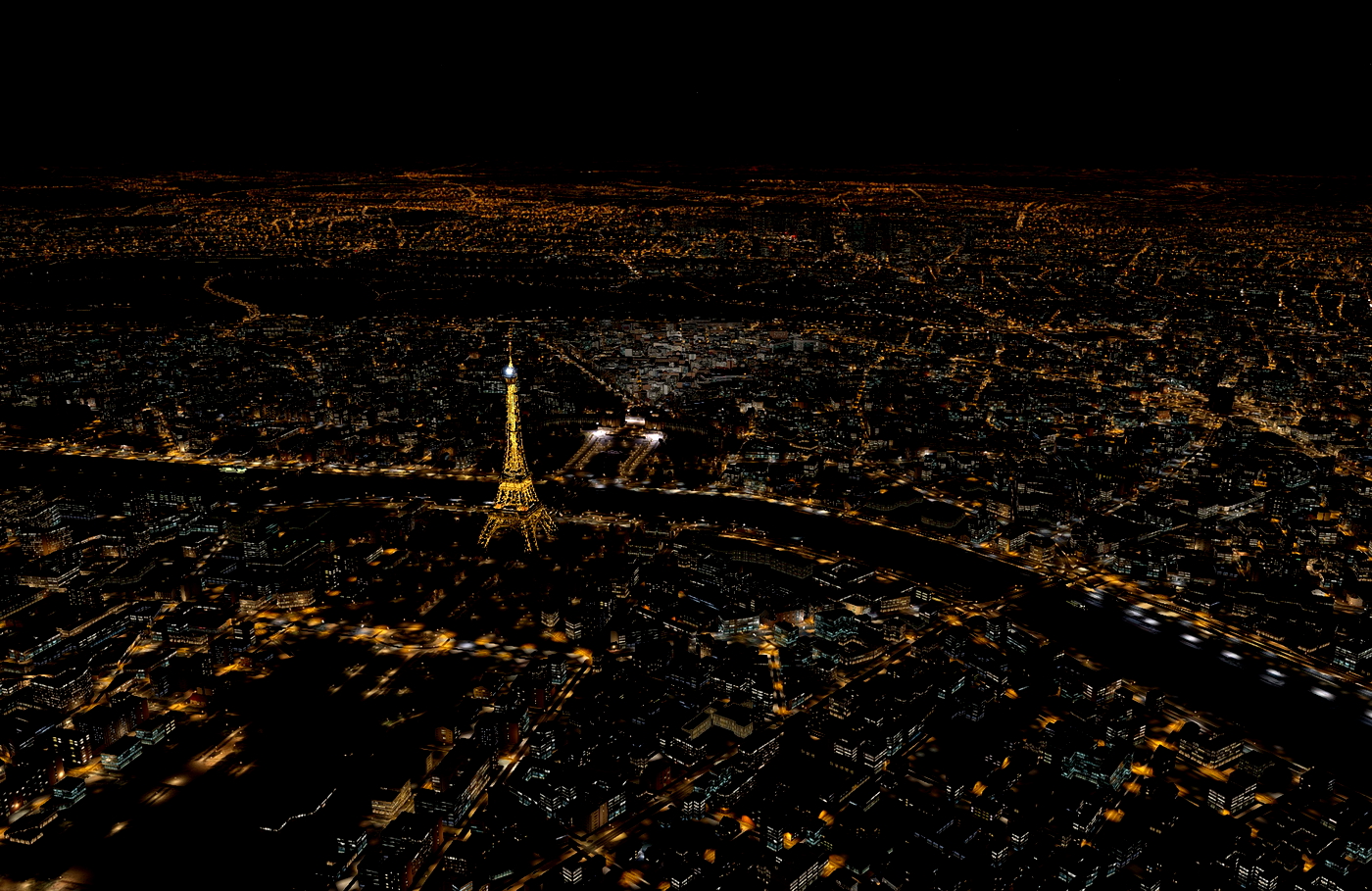
OrthoStudio XP brings orthophoto scenery to X-Plane 12 (XP12), two ways, in one app: tiles you build once, or aerial imagery downloaded while you fly, with no tiles to build. Both from a page that says in plain words what it is doing.
It is a new program built on the rules of Ortho4XP, which Oscar Pilote and its contributors have refined for ten years: it makes the same kind of tiles, with a different architecture that builds them faster. It would not exist without Ortho4XP. It is an independent project, not made or endorsed by the Ortho4XP authors.
Please read the known limitations below, and report what you find.
Build your tiles
No more waiting on Overpass. The map data of every tile of the planet, airports, roads, coastline and water, at every road level, comes in seconds from OrthoStudio XP's own copy of OpenStreetMap, updated regularly. The public Overpass servers, which can take minutes or fail, are asked only when that library cannot answer.
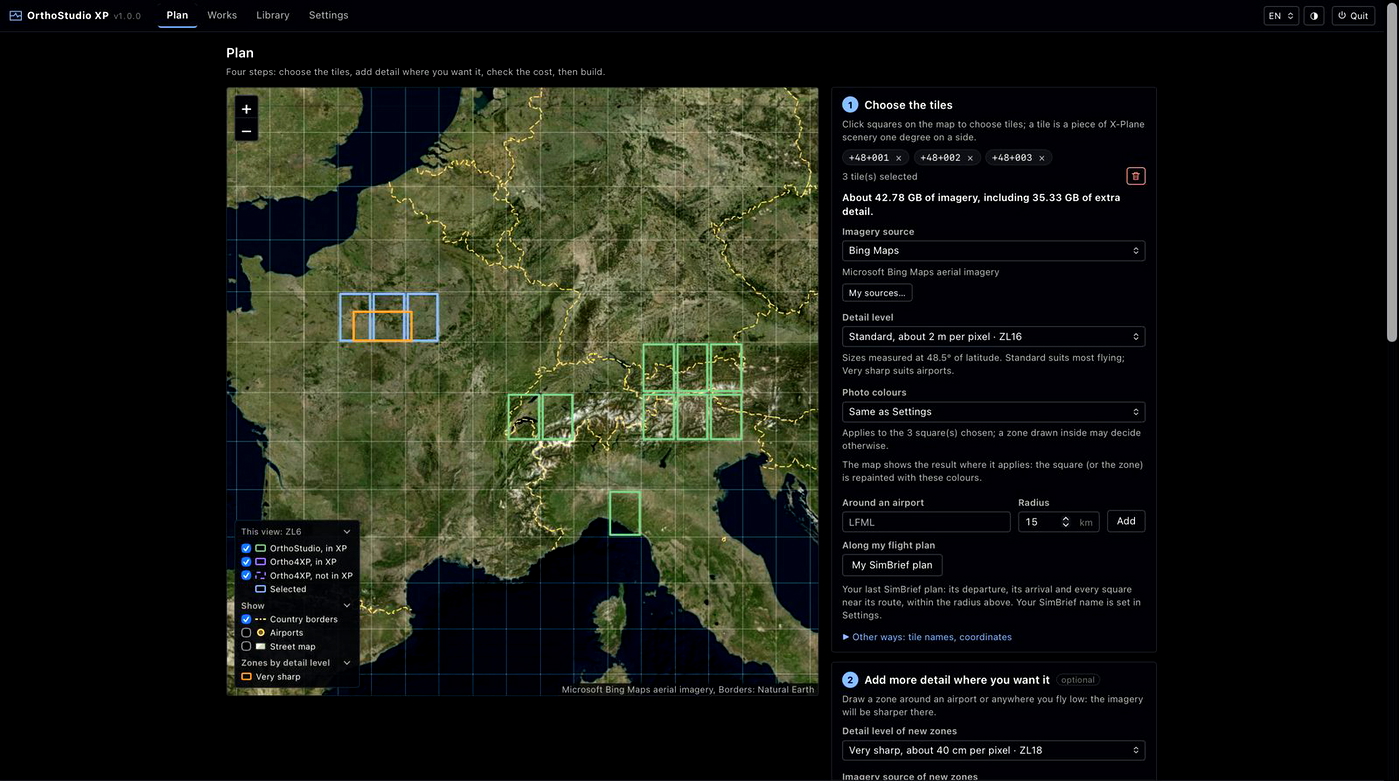
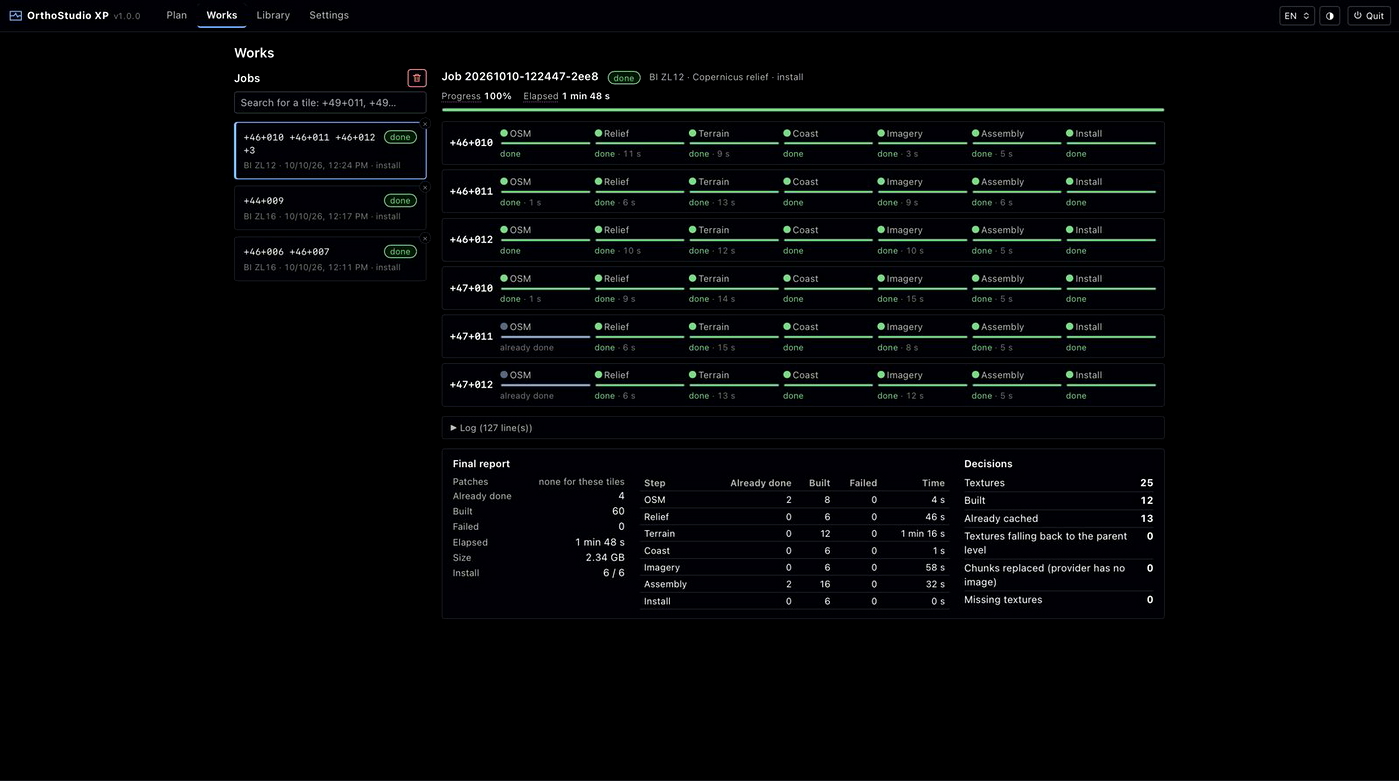
- Build and install in one click, after seeing the disk space, the download and the time it will take, and follow every step of every tile.
- Pick tiles on a map or around an airport, and draw sharper zones where you fly low; a flight plan (SimBrief, Little Navmap, X-Plane
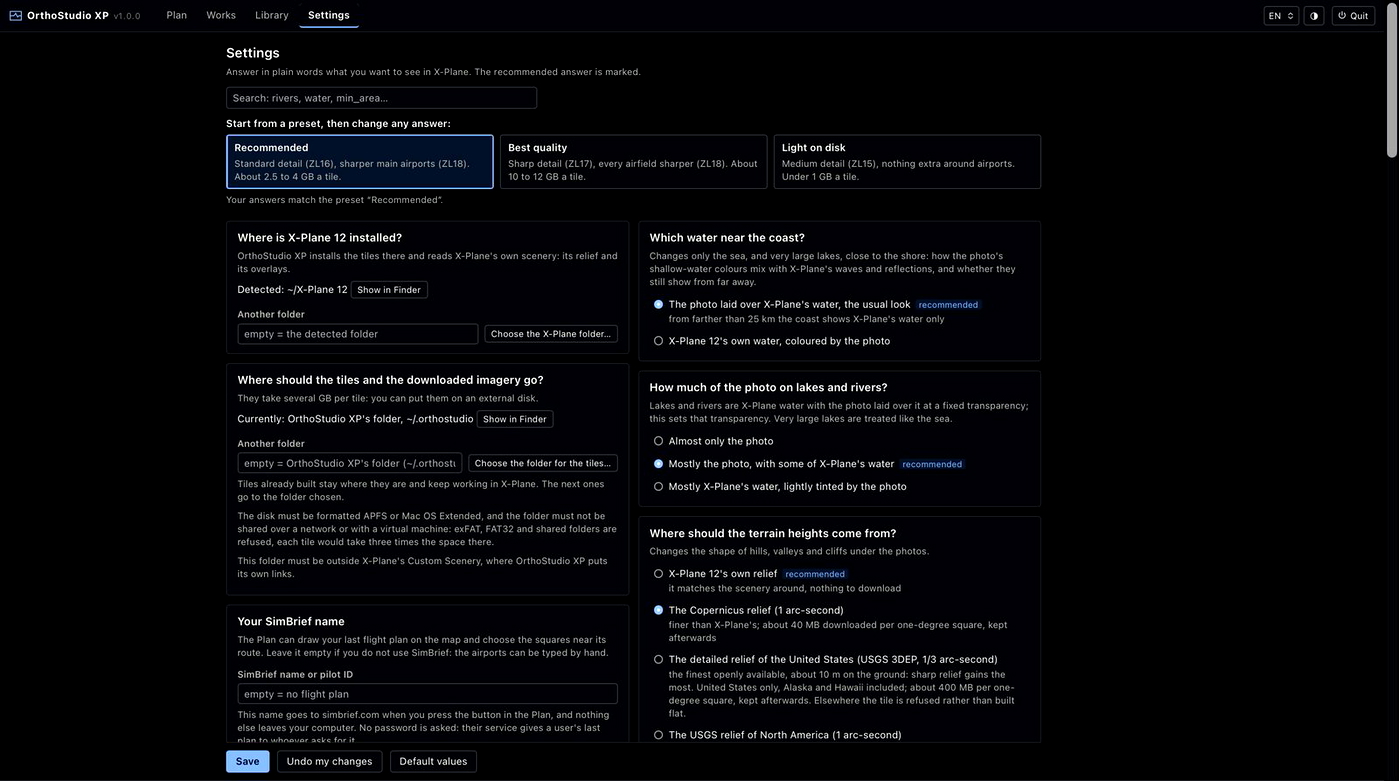
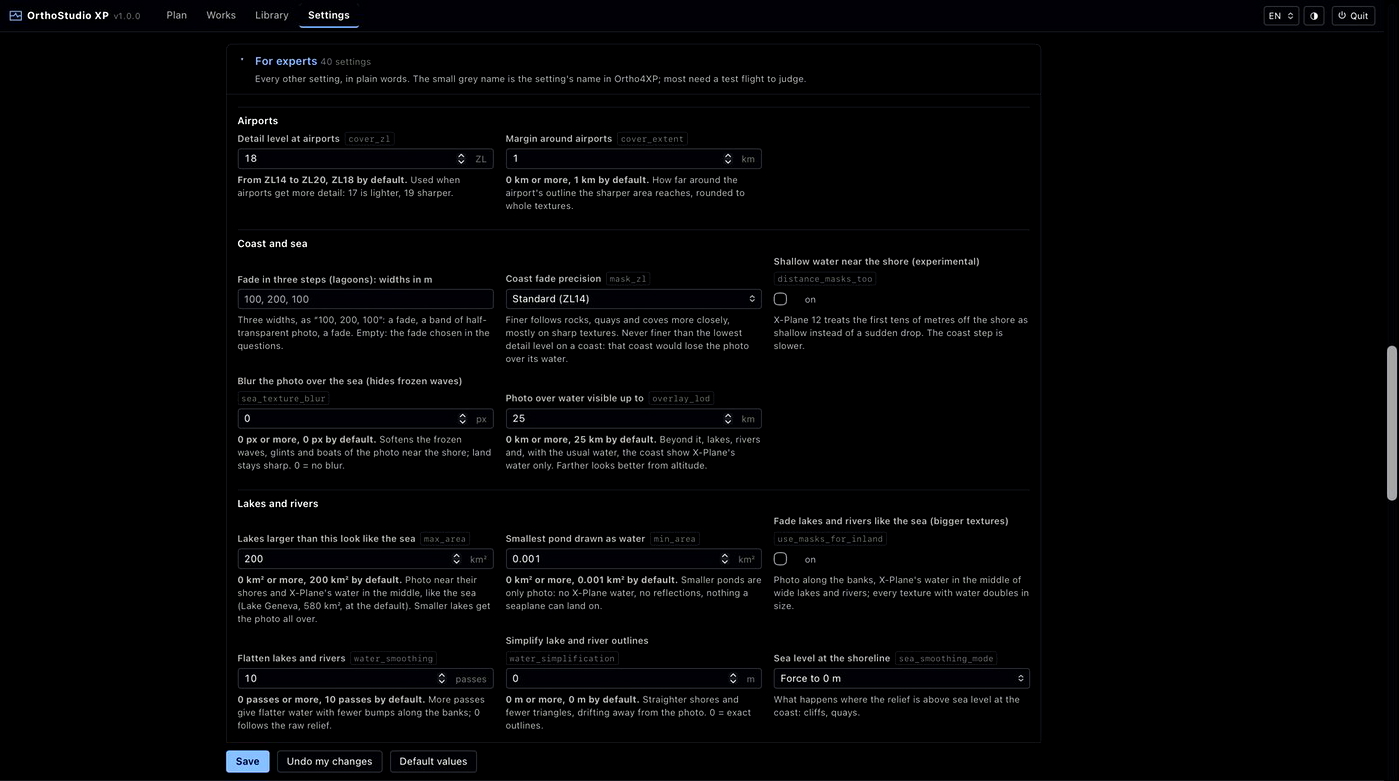
.fms) picks the tiles along its route. - Answer settings in plain words, with three presets; every Ortho4XP setting is still there for experts, under its own name.
- Use X-Plane 12's own relief, with nothing to download, or a finer one: Copernicus, USGS, Canada's lidar, ANADEM or elevation files of your own.
- Roads flattened and smoothed on the ground, airports taken out of the water, X-Plane's roads, forests and buildings on top of the photos, and the photos' colours set to your taste and seen on the map before building.
- Replace the clouds of a built tile with another source's clear ground: you tick them, and the map shows the result before anything changes.
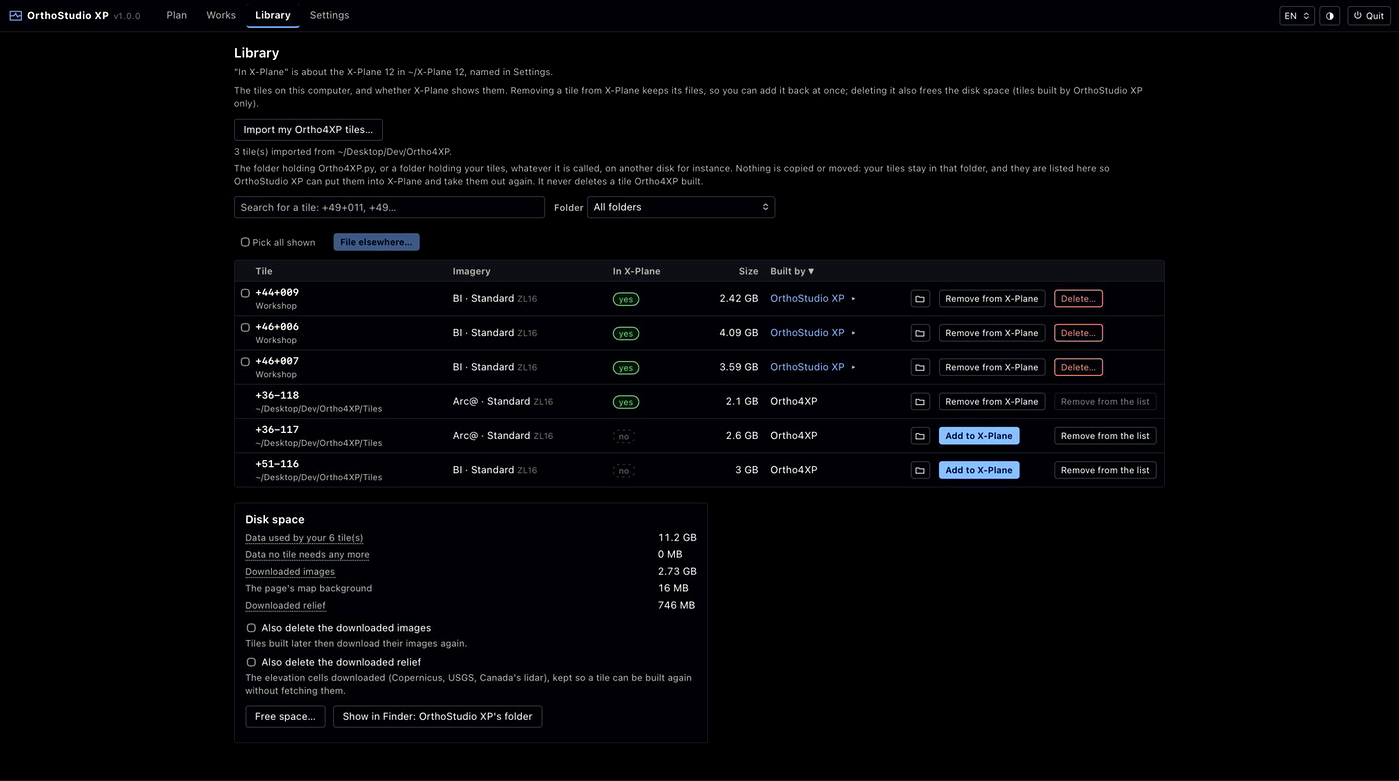
- Keep your tiles in a Library that says how each one was built: file them on any disk, remove them from X-Plane or add them back, and build them again with today's version. Tiles built with Ortho4XP can be imported too.
- Build a tile again in a fraction of a second when nothing changed: every step's result is kept, and imagery is never downloaded twice.
Everything it does, step by step: https://github.com/radioharris/orthostudio-xp/blob/main/docs/build.md
Measured on an Apple M4 Pro over a home connection: a ZL16 tile around Geneva built from nothing in 53 s, and again in under 0.1 s when nothing changed. Every step: https://github.com/radioharris/orthostudio-xp/blob/main/docs/build.md#build-times-measured
Fly now with OrthoStudio XP Live
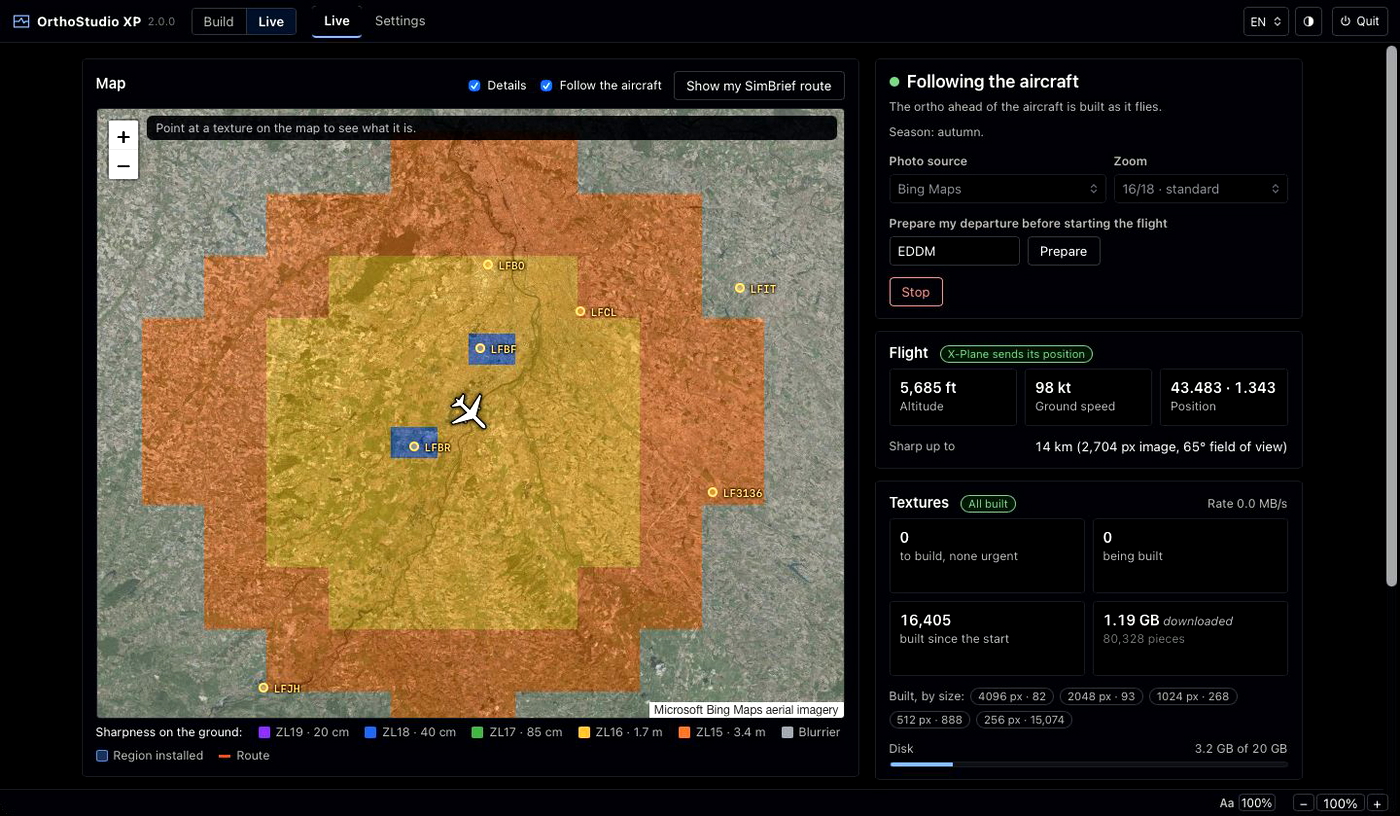
- Aerial imagery under your aircraft wherever you fly, downloaded while you fly, with no tiles to build first.
- Its own mesh of the whole world, Antarctica aside, made by OrthoStudio XP's engine and installed by region from the app (4 to 42 GB each), with X-Plane's roads, forests and buildings.
- No virtual disk: no FUSE or WinFsp to install, nothing mounted. Live builds the textures beside X-Plane as ordinary files, and if Live stops, X-Plane flies on.
- X-Plane waits only while a flight or a new location chosen in flight loads, until the ground there is built, and never while you fly. "Prepare my departure" builds the ground before X-Plane even loads the flight.
- Night textures: the towns lit at night, with street lamps and lit windows on Live's photos; Soft, Normal or Strong, or none.
- Your own tiles come first, or Live everywhere: you choose.
- Bing Maps, Esri, EOX, national sources and the ones you add; zooms 16/18, 16/19 or 17/19; the colours of the season of your flight's date; your SimBrief route followed.
Measured on the same flight: the ground ready about twice as fast as with XPME and five times as fast as with AutoOrtho, for a third of a processor core. The comparison and the guide: https://github.com/radioharris/orthostudio-xp/blob/main/docs/live.md
Requirements
- X-Plane 12, on the same computer.
- macOS 15 or later (Apple Silicon or Intel); Windows 10 or 11 (64-bit); 64-bit Linux.
- Nothing else to install: each installer has its own Python inside.
- To fly with Live: an internet connection, and the mesh of the regions you fly over, downloaded from the app.
Install
- macOS: open the .dmg of your Mac (arm64 for Apple Silicon, x86_64 for Intel) and drag OrthoStudio XP to Applications. The app is not signed yet, so macOS refuses to open it the first time: open System Settings, Privacy & Security, click Open Anyway next to OrthoStudio XP and confirm. If macOS says instead that the app is damaged, run this once in the Terminal:
xattr -dr com.apple.quarantine "/Applications/OrthoStudio XP.app" - Windows: run the setup .exe. It is not signed yet either: in the "Windows protected your PC" window, click More info, then Run anyway. It installs for your user alone, without administrator rights, and adds OrthoStudio XP to the Start menu. The window is drawn by the Microsoft WebView2 Runtime: the installer offers it if your machine does not have it, and its update if yours is too old (before version 101, of 2022), which Windows lets through only with an administrator's permission; without it, OrthoStudio XP opens in your browser. An antivirus may take a build for ransomware, since it writes thousands of files in a few minutes: if yours stops it, allow OrthoStudio XP in its settings (the program is in
%LOCALAPPDATA%\Programs\OrthoStudio XP). - Linux: extract the .tar.gz where you want to keep it, then run
./install.shfor an entry in the applications menu, or start./orthostudio-xpdirectly.
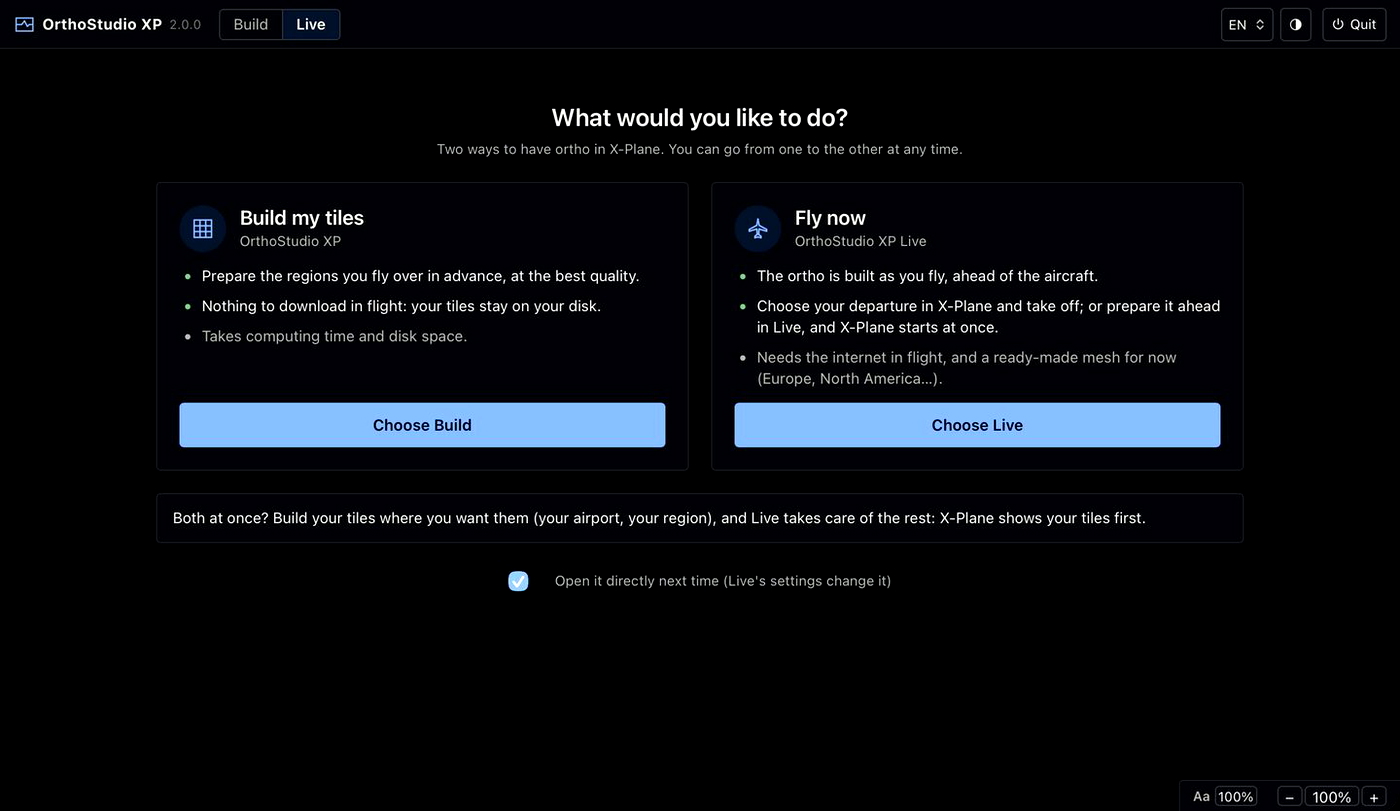
Installed over an older version, it keeps your tiles and settings. At its first start the app asks what you want to do: build your tiles, or fly now with Live; Build | Live at the top of its window goes from one to the other. Opening OrthoStudio XP shows its page in a window of its own, which works like any window on your system; opening it again brings that window back. Quitting stops the engine, and asks first when a build is running: what was already built is kept, so building again carries on from there. On Linux it opens in your browser instead.
Good to know
- X-Plane reads new scenery when it starts: add or remove tiles while it is closed.
- The data folder's disk must be formatted APFS, Mac OS Extended, NTFS or ext4 (not exFAT, FAT32 or a network folder). A hard disk (HDD) builds more slowly than an SSD.
- Quit XPME or AutoOrtho before you start Live: its window checks that no other program streams ortho.
- With less than 32 GB of memory, keep Live's default zoom.
Known limitations
- The cloud detector can take something pale for a cloud, such as light, muddy water near a coast: look at a cloud on the map before you tick it.
- Aerodromes by the sea: where a dried aerodrome meets the sea, its edge can stand a few metres above the water (6 m at Avranches, LFRW).
- Unplugging the data folder's disk while OrthoStudio XP reads it can close the app: plug the disk back and open it again, nothing is lost.
- Live has flown with X-Plane 12 on Macs and on a Windows PC, not yet on Linux.
- Live writes more to the disk than XPME on the same flight: each texture is written whole as it gets sharper.
For your own use: the imagery comes from public services whose terms apply to you, and the map data from OpenStreetMap (ODbL). Do not share or sell the tiles you build.
A problem: please open an issue on GitHub, whose form asks for what helps find the cause (the version, your system, the tile, a screenshot and the log serve.log; for Live, LogLive.txt too, beside X-Plane's own Log.txt): https://github.com/radioharris/orthostudio-xp/issues/new/choose. An idea or a request: start a discussion in Ideas, where others can vote for it: https://github.com/radioharris/orthostudio-xp/discussions/categories/ideas. Without a GitHub account, a comment here works too.
Source code, documentation and every version: https://github.com/radioharris/orthostudio-xp
Licence and credits: GPL v3, as a derivative of Ortho4XP; thanks to Oscar Pilote and its contributors. Triangle4XP (Jonathan Shewchuk's Triangle, modified by Oscar Pilote; free of charge, not for commercial use). DSFTool (Laminar Research, MIT/X11). Map data © OpenStreetMap contributors (ODbL); the street map is rendered by OpenFreeMap (© OpenMapTiles). Borders: Natural Earth. Map libraries: Leaflet and MapLibre GL. Cloud detector, downloaded when you ask: OmniCloudMask (DPIRD-DMA, MIT) and OpenCV (Apache 2.0). Live's mesh: relief of viewfinderpanoramas.org (Jonathan de Ferranti). Live's night lights: NASA's Black Marble.