XLauncher

XLauncher is a macOS application designed to manage and launch X-Plane 12 efficiently. It offers features such as profile management for configurations across various elements, symlink management for streamlined add-on organization, and tools for scenery pack ordering and updates. Additionally, users can manage addon installations and updates, download navigation data, and run custom pre-launch scripts tailored to their needs.

0.0 / 5
56 downloads
Screenshot 1

Description

A native macOS manager and launcher for X-Plane 12.

Features

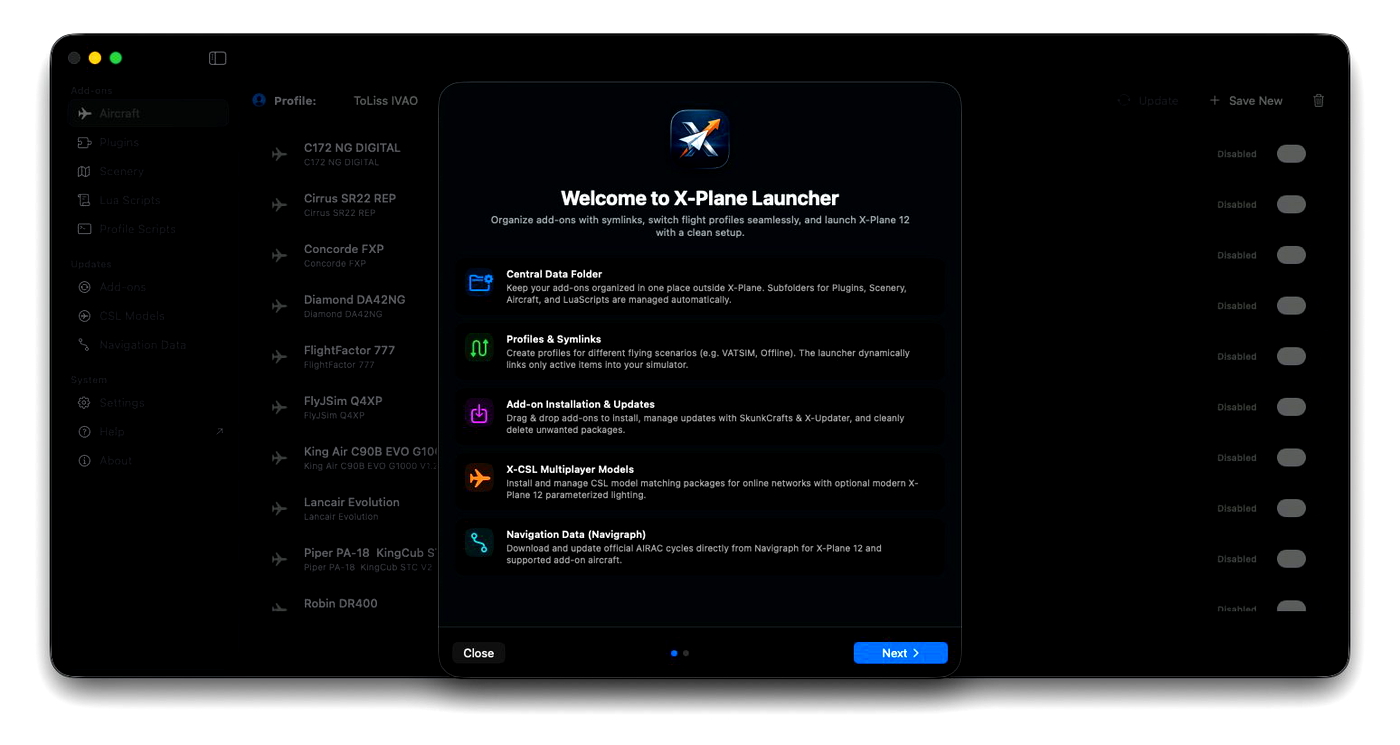
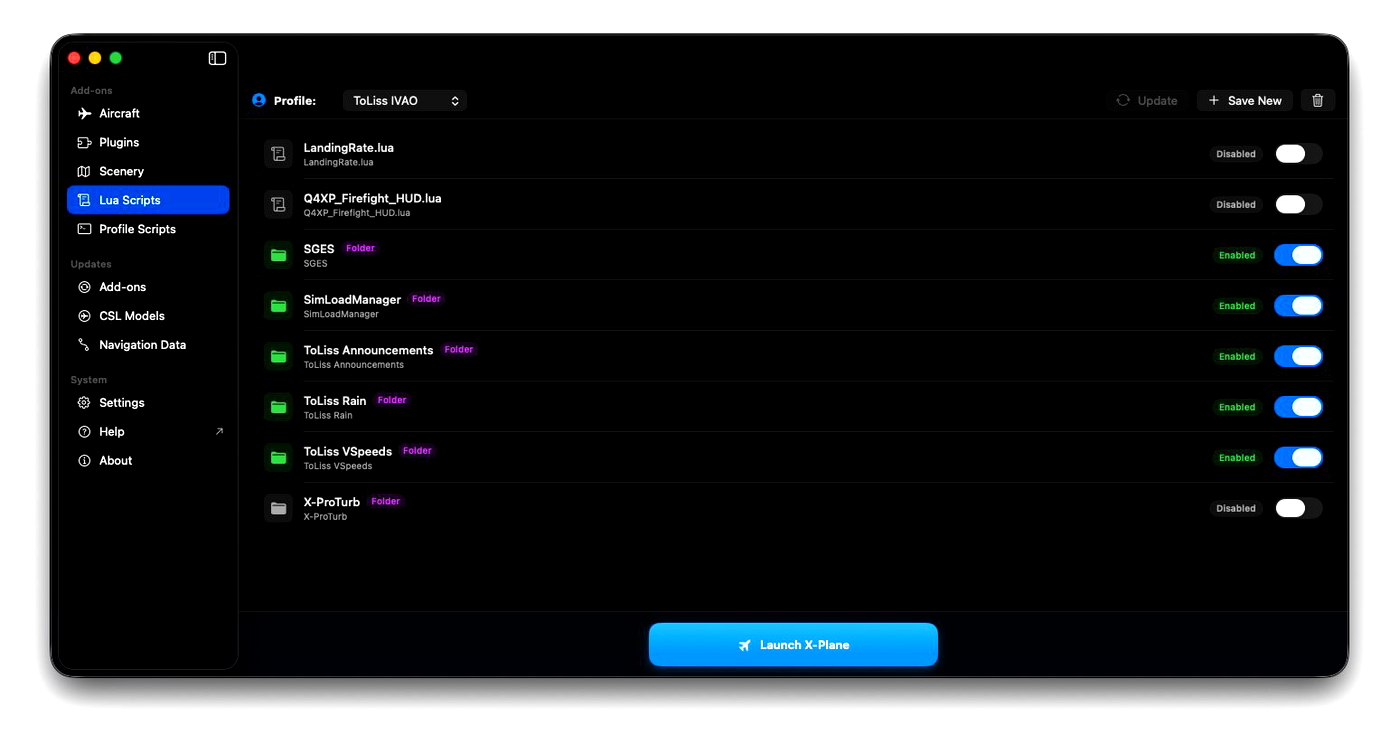
  • Profiles: Save and switch configurations across aircraft, plugins, scenery packs, and FlyWithLua scripts.
  • Clean symlink management: Keep your X-Plane directory tidy. Add-ons stay in a central folder and are symlinked into X-Plane on demand.
  • Scenery pack ordering & grouping: Reorder scenery_packs.ini with drag-and-drop, enable or disable packs without deleting files, and organize scenery into groups.
  • Add-on updates: Check and install updates for add-ons supported by SkunkCrafts Updater or X-Updater directly from the UI.
  • Smart add-on installer & deletion: Drag and drop .zip archives, folders, or .lua scripts to install add-ons, or delete them directly from the UI with automated profile cleanup and unlinking.
  • In-app self-updates: Check for new versions, review release notes, and install updates in-place with automatic restart.
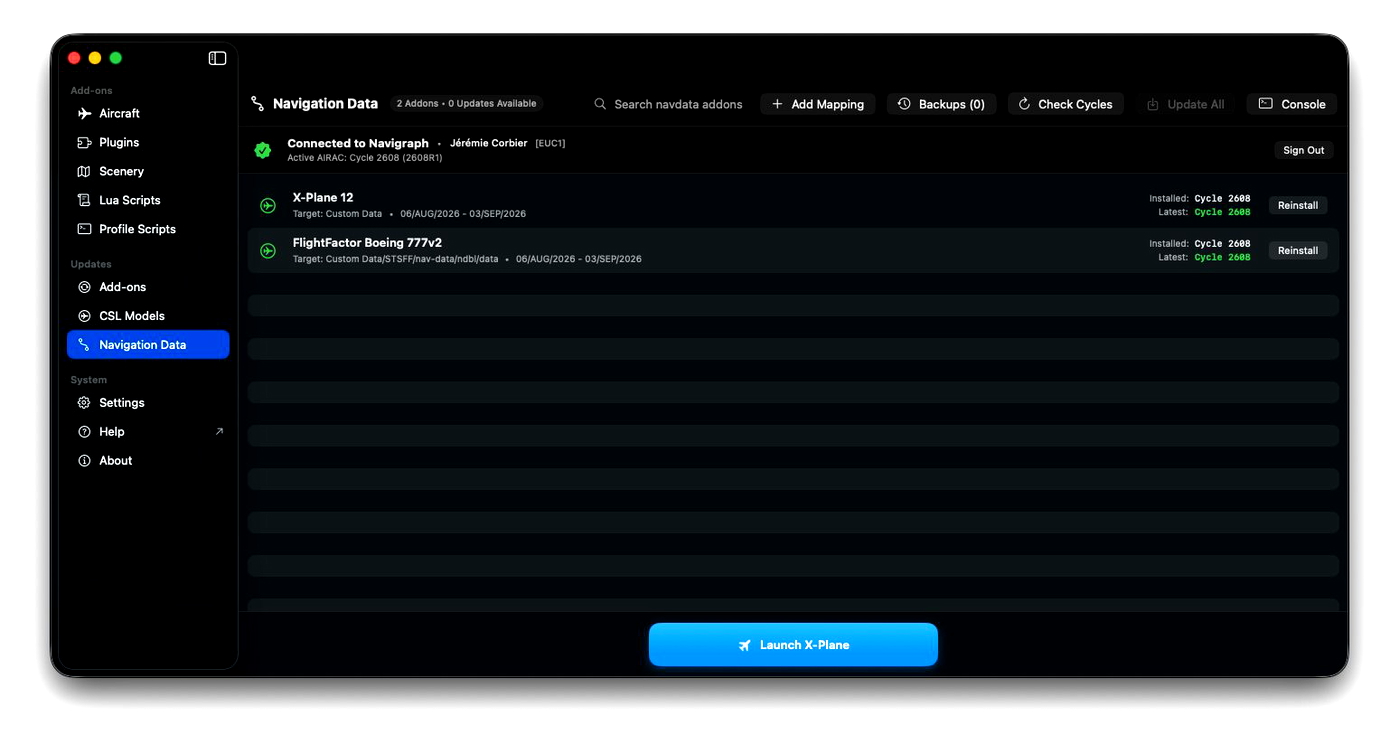
  • Navigation data updates: Download and update AIRAC cycles directly from Navigraph for X-Plane 12 and supported aircrafts.
  • CSL packages & lights: Manage CSL model matching packages, apply lighting intensity presets (high/medium/low), or restore original lights.
  • Pre-launch scripts: Run custom shell scripts with profile-specific environment variables before starting X-Plane (e.g. setting up Hoppie ACARS).

Requirements

  • macOS 15.6 or later
  • X-Plane 12

Installation

Download the latest XLauncher.dmg from the Releases page and move XLauncher.app to your Applications folder.

Documentation

Detailed documentation is available here.

License

MIT License. See LICENSE for details.

Support and bugs

All bugs, feature and support requests are to be sent on the GitHub project. Thanks!

Changelog

  • v2.1.0 28. Sep 2026
    v2.1.0
    Features

    - New pro features with in-app payment and activation (7-day trial period available)
    - Add an optional menu bar icon and X-Plane process monitor
    - Support beta channels for add-on updates
    - Add auto-organize scenery feature based on standard hierarchy
    - Improve scenery category detection heuristics

    🚀 Pro Features

    In addition to all the free & open source features already available, a pro license grants access to the following new add-ons:
    - Live map with flight dispatch, start your flight from the gate with the right aircraft and livery directly from the app
    - Live ATC coverage for IVAO and VATSIM
    - Simbrief OFP support
    - Flight Logbook and Landing Analytics

    Bug Fixes
    - Updater may not see new upstream versions because of HTTP caching
  • v1.3.0 07. Sep 2026
    v1.3.0
    Features
    - Add add-on categorization and custom tagging
    - Add diagnostics view with X-Plane logs and disk usage
    - Allow defining X-Plane launch arguments in settings
    - Optimize view switching and add-on offline checks

    Bug Fixes
    - Purge add-on references on storage pool deletion
  • v1.2.0 01. Sep 2026
    Features
    - Allow defining several source folders in addition to the initial Central Folder
    - Add an experimental X-Plane logs analyzer
    - Enhanced profile management

    Bug Fixes
    - Properly update local skunkcrafts_updater.cfg files on update
    - Restore X-Plane location configuration card in Settings

Comments

Add Your Review

Download

Version: 2.1.0
Size: 20.36 MB
Uploaded: 28. Sep 2026

Author

jcorbier

Joined Jan 2025

Contributors

No contributors listed.

Requirements

  • • X-Plane 12 or later

Information

Release Date 23. Aug 2026
Downloads 56
Rating No ratings yet
Category Utilities / Applications